Enhancing Web Design with Marlina: A Swashy, Dynamic Typeface
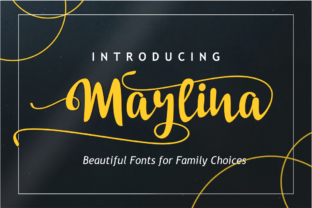
As a web designer, I recently embarked on a project to revamp a boutique online store. The goal was to create a visually appealing and engaging website that would not only attract but also retain visitors. One of the key elements in achieving this was selecting the right font. After some exploration, I stumbled upon Marlina, a swashy and dynamic typeface that promised to add a unique charm to any design.
First Impressions with Marlina
The first thing I noticed about Marlina was its distinctive style. It has a fluid, handwritten feel that brings a sense of elegance and creativity to the design. I decided to test it out in the hero section of the homepage, where it would be the first thing visitors see. Placing Marlina over a high-quality image banner, I was immediately impressed by how it stood out without overpowering the visual content.
Using Marlina in Website Headers and Hero Sections
Marlina is perfect for creating eye-catching headers and hero sections. Its dynamic swashes and flowing lines make it ideal for short, impactful titles. For the boutique store, I used Marlina for the main heading, "Welcome to Our Exclusive Collection," and it instantly elevated the overall aesthetic. The font's unique personality added a touch of sophistication and creativity, making the site feel more premium and inviting.
Readability and Visual Hierarchy
While Marlina is visually stunning, it's important to consider readability, especially on smaller screens. For the mobile layout, I made sure to use Marlina sparingly, primarily for the main headings and call-to-action areas. This way, the font’s decorative elements don’t overwhelm the text, and the content remains easy to read. I also tested the font on both light and dark backgrounds to ensure it maintained its clarity and appeal.
Font Pairing for a Balanced Design
To create a balanced and professional look, I paired Marlina with a clean, simple sans serif font for the body copy. This combination allowed the display font to shine while ensuring the main content was highly legible. For the blog section, I used Marlina for the article titles, which added a creative and engaging touch, while the sans serif font kept the paragraphs clear and easy to scan.
Applying Marlina in Various Web Elements
- Call-to-Action Buttons: I used Marlina for the CTA buttons, such as "Shop Now" and "Learn More." The font’s unique style made these buttons stand out, encouraging more clicks.
- Section Headings: In the product category pages, I applied Marlina for the section headings, like "New Arrivals" and "Best Sellers." This helped to break up the content and guide the user’s attention effectively.
- Branded Graphics: For the social media graphics and promotional banners, Marlina was a natural choice. It added a consistent and recognizable brand identity across all platforms.
Checking Font Availability and Licensing
Before finalizing the design, I made sure to check the availability of Marlina as a webfont. It’s crucial to ensure that the font can be seamlessly integrated into the website and that it loads quickly. Additionally, I verified the commercial licensing terms to ensure that using Marlina on the boutique store’s website and other digital assets was compliant and legally sound.
Conclusion: A Polished Brand Experience
Incorporating Marlina into the boutique online store’s design was a game-changer. The font’s unique charm and dynamic style not only enhanced the visual appeal but also improved the overall user experience. By carefully considering readability, font pairing, and responsive design, we were able to create a polished and engaging brand experience that resonates with our target audience.
Whether you’re working on a creative portfolio, a coaching website, or a product landing page, Marlina is a versatile and stylish choice that can help your design stand out. Just remember to balance its decorative elements with practical considerations to ensure a seamless and enjoyable user experience.